Use an image as your base
Import a photo or illustration and use it as the starting point for your pixel artwork.
PIXEL ART CREATOR FOR WINDOWS
Grid Design Studio Y
Import a photo or illustration, reduce its colors, add text and layers, then refine every pixel. GDSY helps you turn an existing image into polished pixel artwork.
Create LINE emoji and stickers, social icons, streaming emotes, RPG assets, and retro-style artwork with a workflow designed for precise editing.
Available for Windows 10 and Windows 11. Try the Free Trial before purchasing.
Grid Design Studio Y
PIXEL ART CREATION TOOL
FEATURES
Start with an image, refine its colors and composition, and finish the details one pixel at a time.
Import a photo or illustration and use it as the starting point for your pixel artwork.
Choose 4, 8, 16, 32, or 64 colors to match the look you want.
Adjust selected areas, add text and elements, and organize your edits with layers.
Export PNG files for LINE, social media, streaming, games, and more.
Zoom the canvas from 50% to 400% and edit directly at any scale.
Check regular grids, square divisions, center lines, and 16×16 or 24×24 guides.
RETRO COLOR FILTERS
Preview several palette sizes and choose the level of detail that best fits your work.
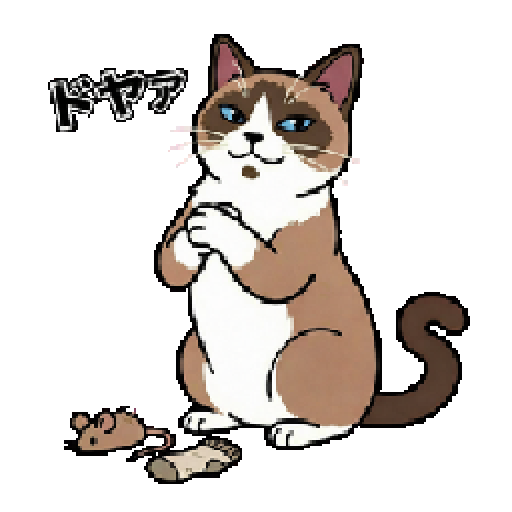
BEFORE
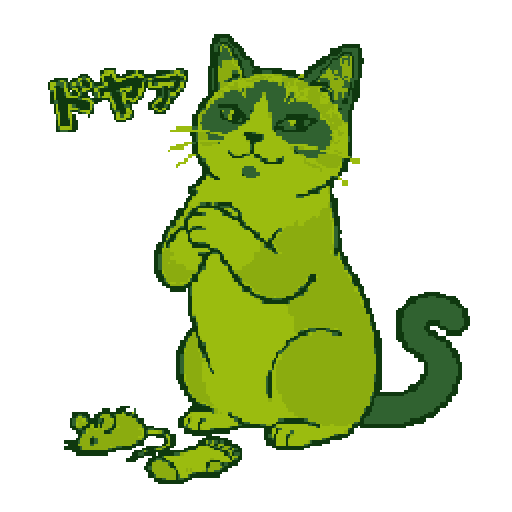
4 COLORS
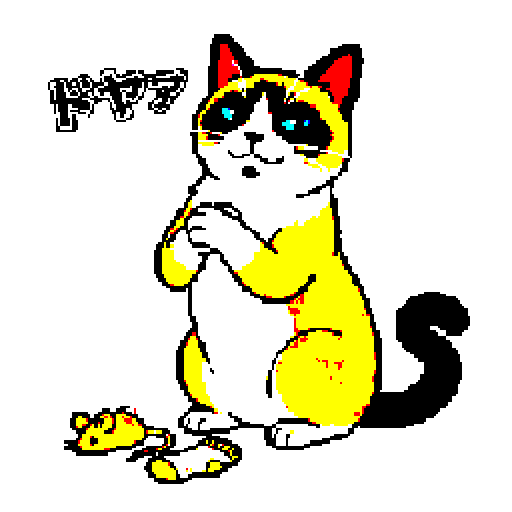
8 COLORS
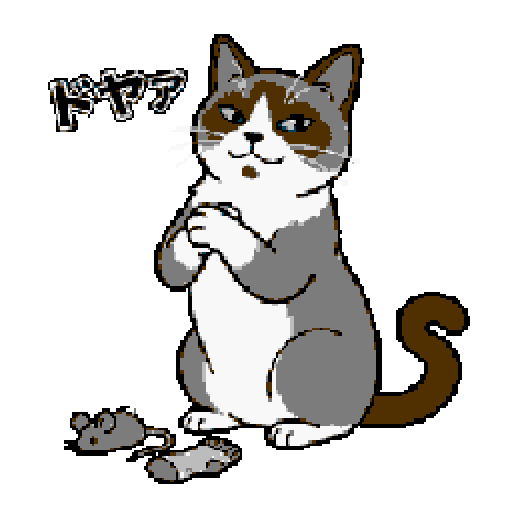
16 COLORS
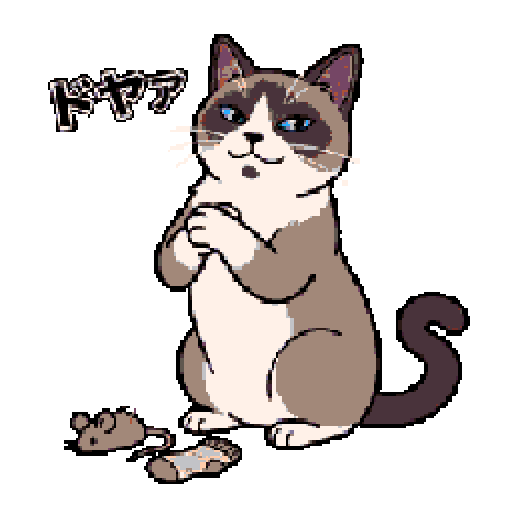
32 COLORS
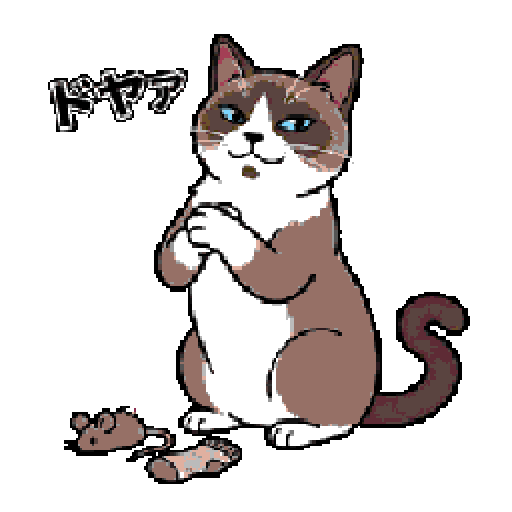
64 COLORS
CANVAS ZOOM
Zoom the canvas from 50% to 400%. Zooming changes only the editing view; it does not affect export size or canvas data.
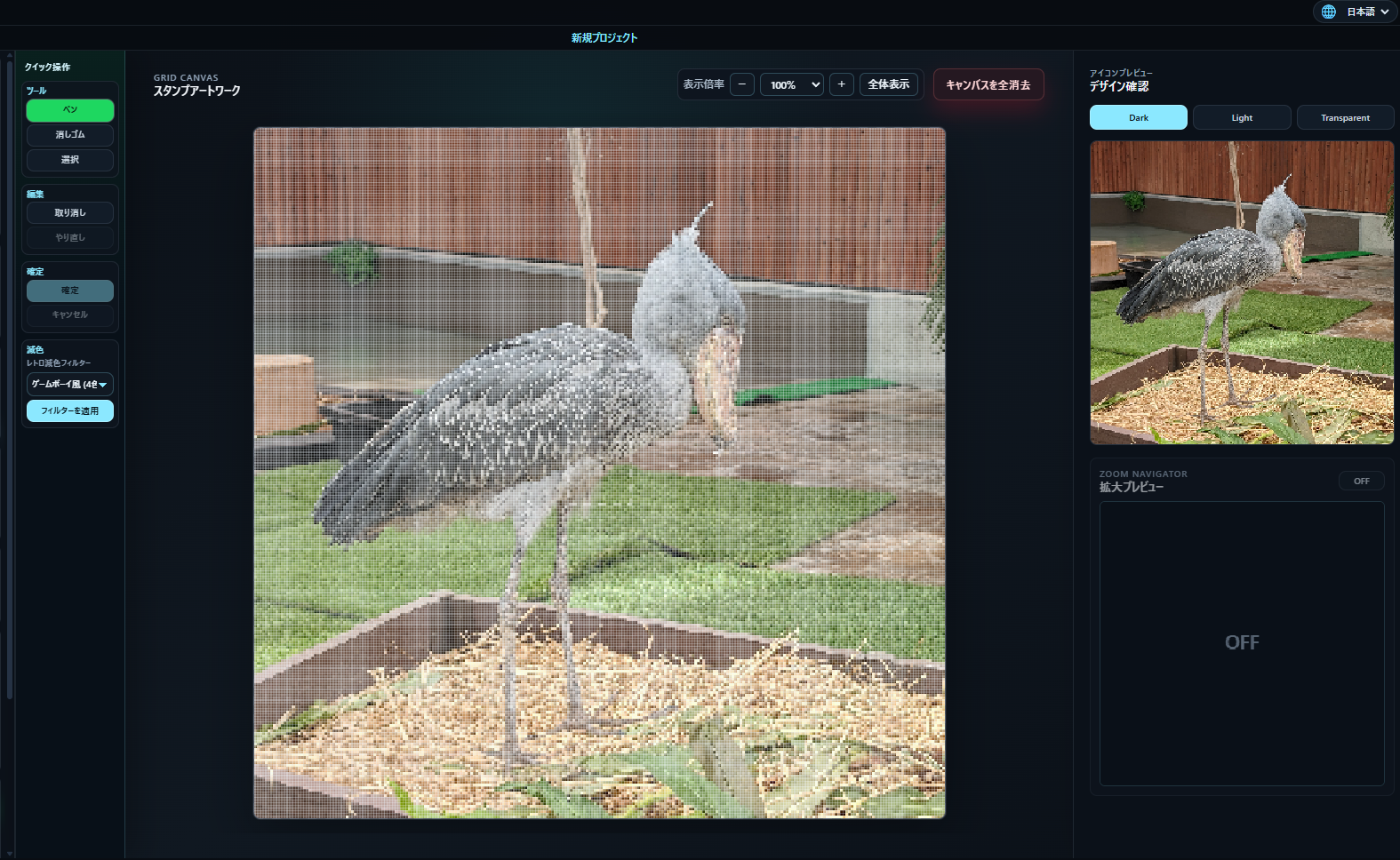
Check the overall composition and balance.
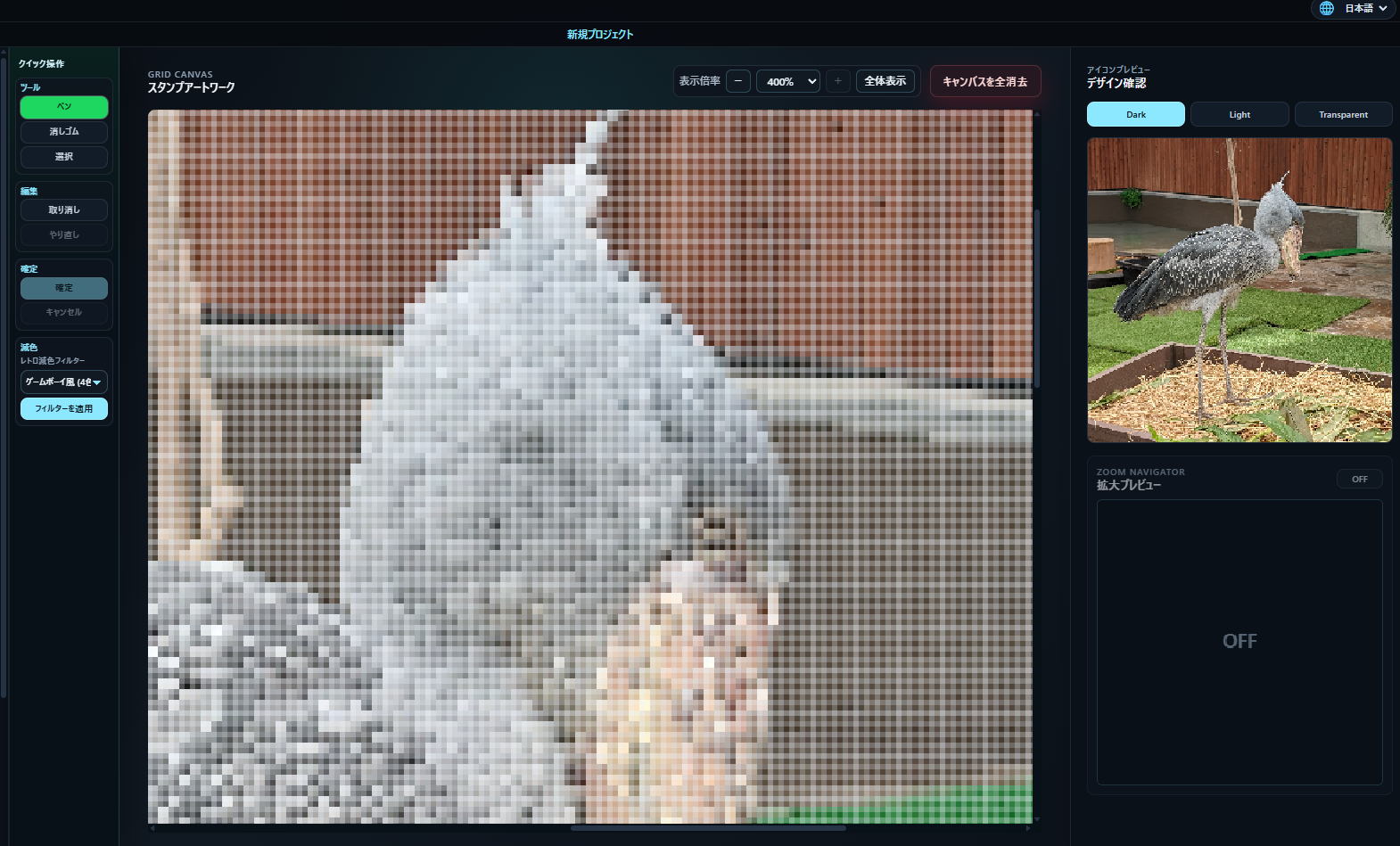
Edit fine outlines and individual pixels directly.
PIXEL BY PIXEL
Use the pen, eraser, selection tools, and layer controls directly on the enlarged canvas.
Refine facial expressions, outlines, colors, and small details without redrawing everything.
Save your work in GDSY format and continue editing later in the Full Version.
CREATE
LINE Emoji
Clear reaction graphics that stay readable at small sizes.
LINE Stickers
Export main, tab, and sticker images at LINE-ready sizes.
Social Icons
Pixel-style profile images and streaming avatars.
Streaming Emotes
Reaction assets for Twitch and Discord communities.
RPG Assets
Items, character portraits, tiles, and UI parts.
Retro Artwork
Visuals for announcements, thumbnails, and games.
LINE EXPORT
Dedicated LINE export automatically resizes artwork for emoji, sticker, main, and tab images. Regular PNG export is also available for other uses.
Output presets include 180×180 emoji, 370×320 stickers, 240×240 main images, and 96×74 tab images.
WORKFLOW
1
Choose a photo or illustration.
2
Choose a palette with a retro filter.
3
Layer text, decorations, and expressions.
4
Zoom in and polish the details.
5
Export the image in the format you need.
QUICK START VIDEO
GALLERY
Click an example to view it at a larger size.
FREE TRIAL
The Free Trial includes PNG import, pen, eraser, selection, eyedropper,
text, layer editing, advanced selection tools, canvas zoom,
ZOOM NAVIGATOR, and other core GDSY features.
Build a base from an image and refine it one pixel at a time,
while confirming compatibility with your Windows PC.
| Feature | Free Trial | Full Version |
|---|---|---|
| 1. Intended Use | Try the workflow and confirm compatibility | ✓ Create finished artwork for publishing, sharing, and distribution |
| 2. Core Editing Tools | PNG import, pen, eraser, selection, eyedropper, text, layer editing, and Japanese / English interface support | ✓ All Free Trial editing tools, plus project saving and Full Version export features |
| 3. Advanced Selection Tools | Rectangle and ellipse selection, fill, copy, paste, flip, drag movement, one-pixel arrow-key movement, Shift-constrained square / circle selection, and Undo / Redo | ✓ Edit while checking selection width, height, and coordinates |
| 4. Available Templates | LINE Emoji 18x18 / 36x36 LINE Stickers 32x32 / 64x64 X Icon 48x48 RPG Tile 48x48 Twitch Emote 112x112 Some sizes and templates are unavailable |
✓ LINE Emoji, LINE Stickers, X Icons, RPG Tiles, Twitch Emotes, Discord Emoji, and Custom sizes. Custom canvases can be created at any size up to 256x256. |
| 5. .gdsy Save / Load | Cannot save or load GDSY project files | ✓ Continue editing later Save work in progress, reload it, and resume editing |
| 6. PNG Export | Available with a “GDSY Trial” watermark | ✓ No watermark Export clean PNG files without a watermark |
| 7. LINE Emoji Export | Available with a “GDSY Trial” watermark | ✓ No watermark Export 180x180 emoji images and 96x74 tab images |
| 8. LINE Sticker Export | Available with a “GDSY Trial” watermark | ✓ No watermark Export 370x320 sticker images, 240x240 main images, and 96x74 tab images |
| 9. Export Scale | Regular PNG export at 1x only | ✓ Regular PNG export from 1x to 10x |
| 10. Canvas Controls | 50%–400% zoom, fit view, Ctrl + mouse wheel, ZOOM NAVIGATOR, and preview | ✓ Inspect details with 50%–400% zoom, guides, grids, and center lines |
| 11. Color Reduction Filters | 4-Color Retro 8-Color Retro PC 16-Color Retro 32-Color Detailed Retro and 64-Color High-Detail Pixel are unavailable |
✓ 4-Color Retro 8-Color Retro PC 16-Color Retro 32-Color Detailed Retro 64-Color High-Detail Pixel |
| 12. Additional Layers | The number of additional layers is limited | ✓ Use more layers in your project |
| 13. Preview | Available with the Free Trial watermark | ✓ No watermark Preview your artwork without a watermark |
| 14. Price | Free | ✓ Launch price: ¥980 (tax included) Regular price: ¥1,980 (tax included) |
Canvas zoom works the same way in both the Free Trial and the Full Version.
The Free Trial lets you test GDSY's workflow and confirm that it works on your Windows PC.
Choose the Full Version when you want to export finished artwork without a watermark or save projects to continue editing later.
PRICE
A one-time purchase for the Full Version for Windows.
Launch price: ¥980 (tax included)
Regular price: ¥1,980 (tax included)
Please review the Terms of Use before purchasing.
TERMS OF USE
Grid Design Studio Y Full Version Terms of Use
Please read these terms before purchasing or using the Full Version. By purchasing, downloading, installing, or using the product, you agree to these terms.
GRID DESIGN STUDIO Y — TERMS OF USE
Effective date: July 13, 2026

These Terms of Use govern the use of the software “Grid Design Studio Y” (the “Product”), provided by Yooou (the “Creator”). By purchasing, downloading, installing, or using the Product, the user agrees to these Terms.

1. LICENSE
A single purchase grants a non-transferable, per-user license to one purchaser. The purchaser may install and use the Product on up to three Windows PCs that they own or manage. Ownership and copyright are not transferred.

2. USE OF OUTPUT
Users may use images and other output they create with the Product for personal or commercial purposes. Users must use material they created, have permission to use, or may lawfully use under an appropriate license. Rights in imported source material do not transfer to the user through use of the Product.

3. PROHIBITED CONDUCT
Users may not provide, share, lend, transfer, repost, redistribute, resell, or publicly transmit the installer, ZIP file, executable, manual, or other bundled data; allow anyone other than the purchaser to use the Product; copy, modify, analyze, or incorporate the Product into another product without permission; remove copyright, product-name, or creator notices; use the Product unlawfully; or infringe any third-party rights.

4. BACKUPS
The purchaser may make backup copies solely for storage and recovery. Backup files may not be shared, transferred, or redistributed.

5. UPDATES
The Creator may provide fixes or updates when necessary but does not guarantee that all updates will remain available indefinitely or free of charge. Proof of purchase, such as a BOOTH order number, may be requested.

6. SUPPORT
Support generally covers installation, startup, basic operation, and reproducible defects. It does not cover commissioned artwork, design review, PC repair or configuration, operation of third-party services, approval by services such as LINE Creators Market, modified copies of the Product, or guaranteed compatibility with other software.

7. RETURNS AND REFUNDS
Because this is a downloadable product, returns, refunds, and cancellations for customer convenience are generally not accepted. Users should test the Free Trial before purchasing. Corrupted distribution files, duplicate purchases, or serious defects confirmed by the seller may be handled individually.

8. DISCLAIMER
The Creator does not guarantee that the Product is fit for a particular purpose or works perfectly in every environment. To the extent permitted by law, the Creator is not liable for damage, data loss, lost opportunities, or other loss caused by use or inability to use the Product. This limitation does not apply where exclusion is prohibited by law. Users are responsible for backing up important data.

9. TERMINATION
If a user breaches these Terms, the Creator may terminate the license and support without prior notice. The user must then delete the Product and all copies.

10. CHANGES
The Creator may revise these Terms in response to changes in law, Product features, or services. Revised Terms take effect when posted on the official website or sales page.

11. GOVERNING LAW AND GOOD-FAITH DISCUSSION
These Terms are governed by Japanese law. The user and the Creator will seek to resolve any issue concerning the Product or these Terms through good-faith discussion.

CONTACT
Grid Design Studio Y
Seller / Creator: Yooou
Email: gdsy.official@gmail.com

This English translation is provided for convenience. If there is any inconsistency, the Japanese version governs.
SYSTEM / INSTALL
GDSY is a desktop application for Windows.
Windows 10 / Windows 11
macOS, Linux, smartphones, tablets, Windows 7, and Windows 8.1 are not supported.
Run the installer included in the download. Development tools such as Node.js or Rust are normally not required.
Use the Free Trial to confirm that GDSY starts and runs correctly on your PC.
Download Free TrialSUPPORT
Support covers installation, startup issues, basic operation, questions about the manual, and bug reports. Artwork creation, design reviews, approval by third-party services, sales results, and issues with other software are not covered.
CONTACT
Please include your operating system, whether you are using the Full Version or Free Trial, the steps that caused the issue, any error messages, and screenshots if available.
Email: gdsy.official@gmail.com
REFUND / CANCEL
Refunds and cancellations due to a change of mind are generally not available for downloadable products. Confirm that GDSY works on your PC with the Free Trial before purchasing. Confirmed serious defects may be handled individually under the sales platform’s rules.
FAQ
No. You can also create social icons, Twitch emotes, Discord emoji, RPG assets, and retro artwork.
Yes. Start with an existing image, reduce its colors, and refine it one pixel at a time.
No. Canvas zoom changes only the editing view and does not affect export size or internal image data.
No. Watermark-free export is available in the Full Version.
A .gdsy file saves your work in progress so you can continue editing later. This feature is available in the Full Version.
Windows 10 and Windows 11. macOS, Linux, smartphones, and tablets are not supported.
Windows may display a confirmation screen because GDSY is independently developed. If you are concerned, try the Free Trial first.
No. GDSY is an image creation tool and cannot guarantee approval or sales results on third-party services.